How it works
From upload
to on air.
You sign in from any browser and see only your own channel. Add your programmes, build the day, lock it, and it plays. We keep it on air.
01 · Upload
Drop your programmes in.
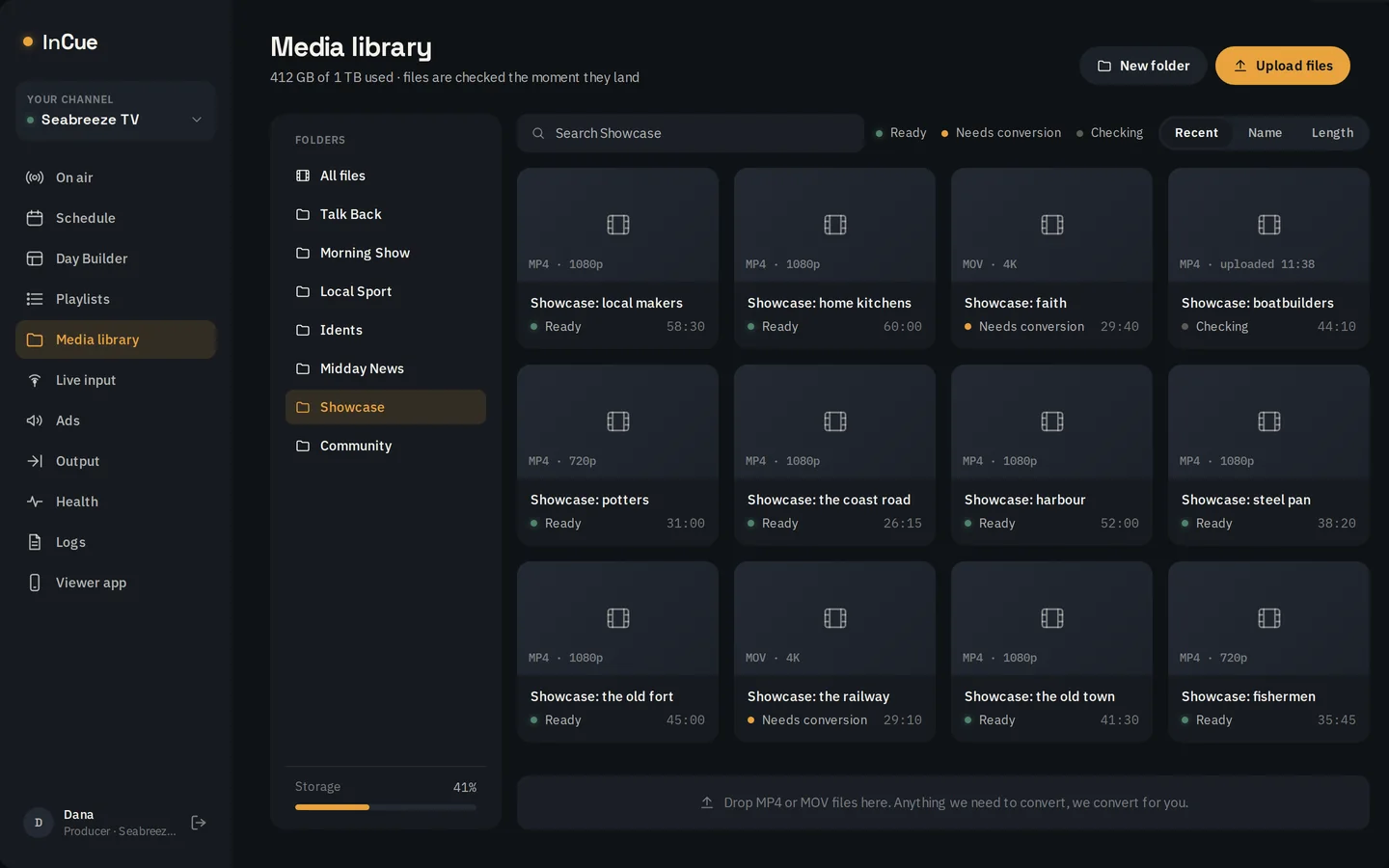
Drag MP4 or MOV files into your media library and sort them into folders. Every file is checked the moment it lands, so you know before it airs.
- Each file shows Checking, Ready, or Needs conversion.
- Files that need converting are converted for you.
- Your library holds 1 TB on Channel and 2 TB on Channel+, and the bar shows what you have used.
02 · Build the day
Lay out a day once. Use it all week.
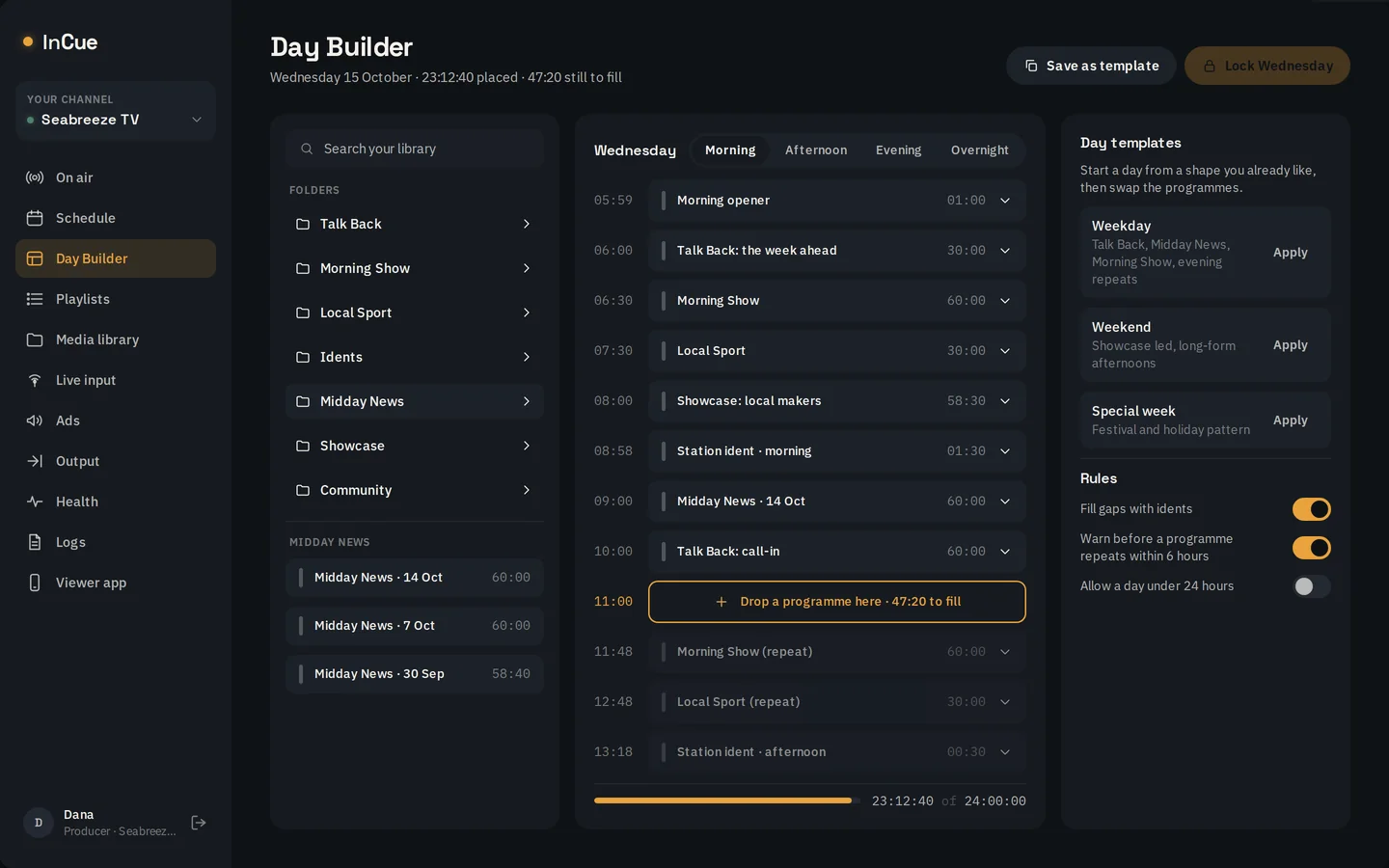
Day Builder lays the day out in blocks, morning to overnight. Save a shape you like as a template, then apply it to the days ahead and swap the programmes in.
- Templates for weekdays, weekends and special weeks.
- Rules fill the gaps in a day.
- Reusable playlists drop into any day, and a finished day copies forward in one step.
03 · Lock it
A locked day cannot drift.
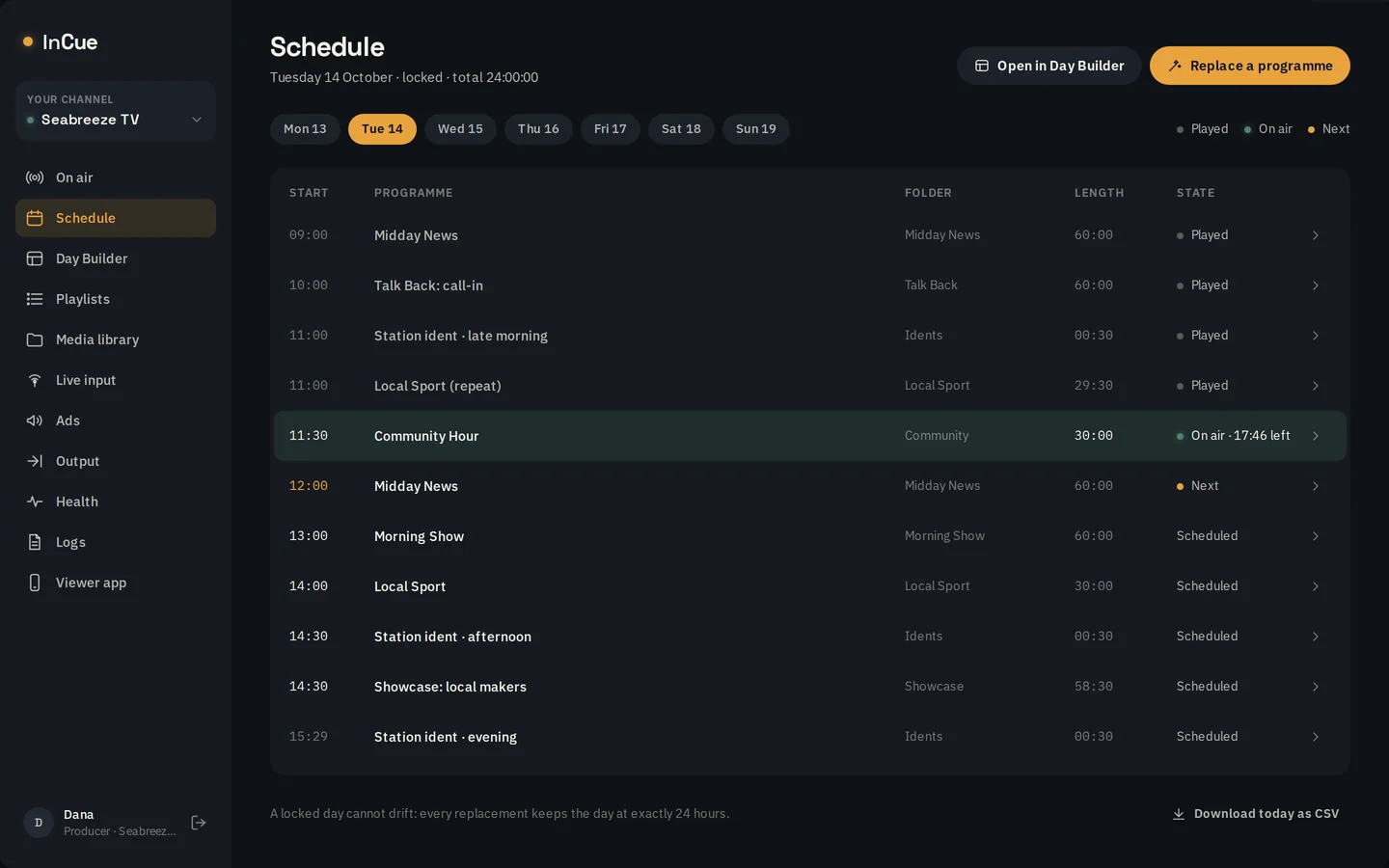
Lock the day and it runs at exactly 24 hours. Replace a programme or change the order, and every change still adds up. Step between days to see what played, what is on air and what is next.
04 · On air
See exactly what is going out.
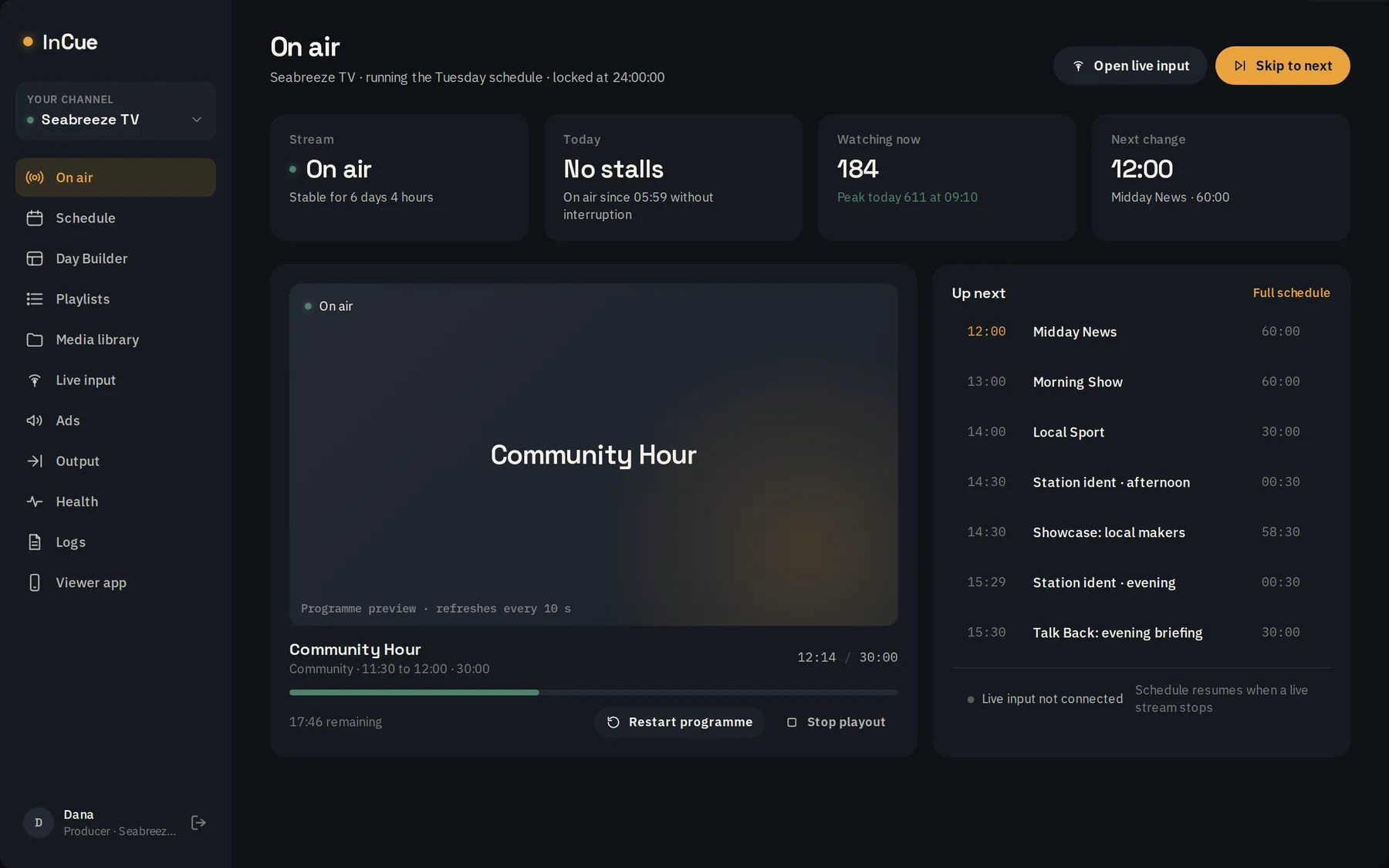
The On air screen shows the programme playing now, how far through it is, what comes next and the state of your stream. Skip to the next programme or restart one when you need to.
When it matters
Live when you need it. On air the rest of the time.
Live cut-ins · included
Go live, then back to the schedule.
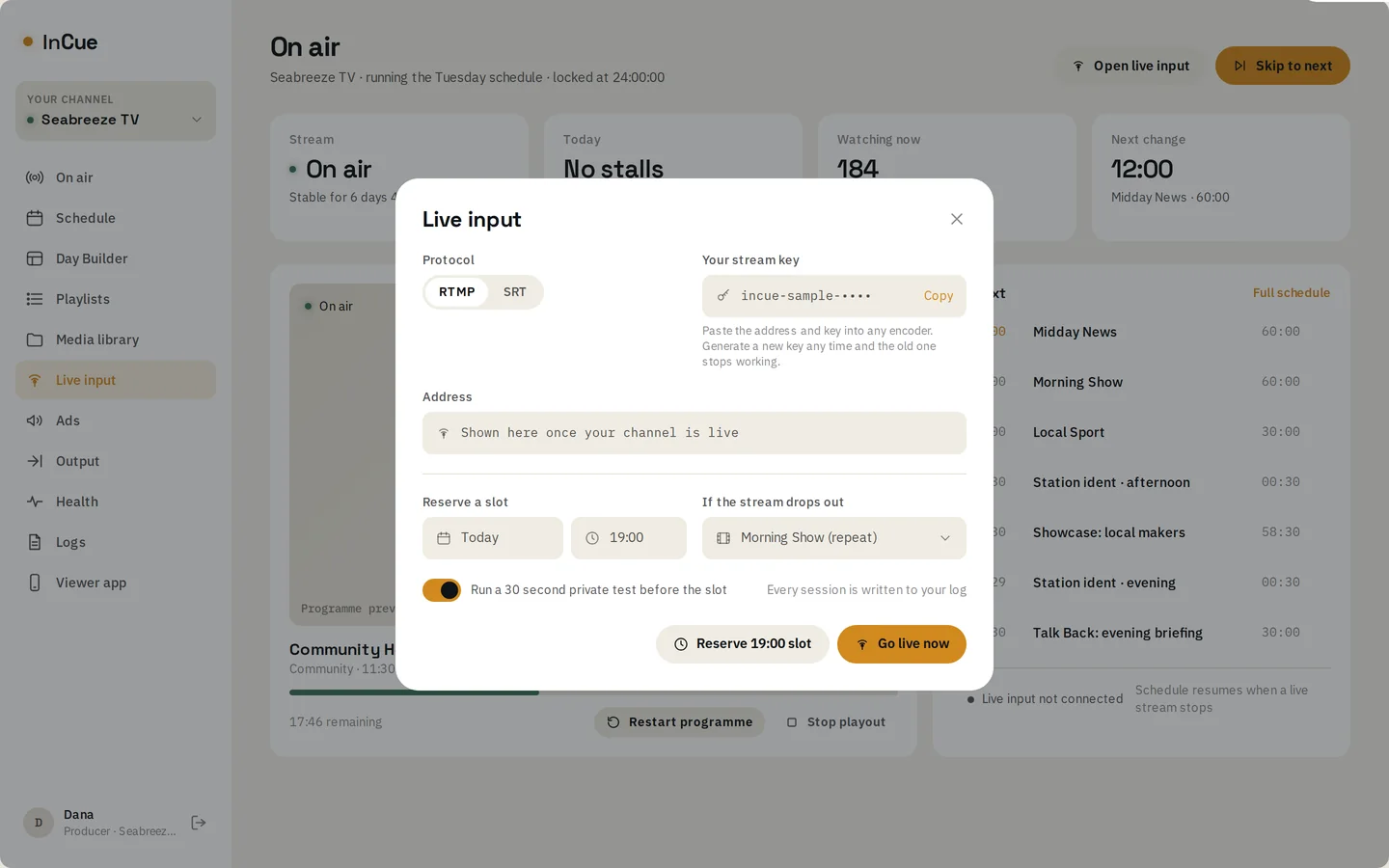
Send RTMP or SRT from any encoder. Reserve a slot for an address or a launch, run a private 30 second test first, and choose what plays if your stream drops. When your stream stops, the schedule resumes by itself.
Always on air
We watch it so you do not have to.
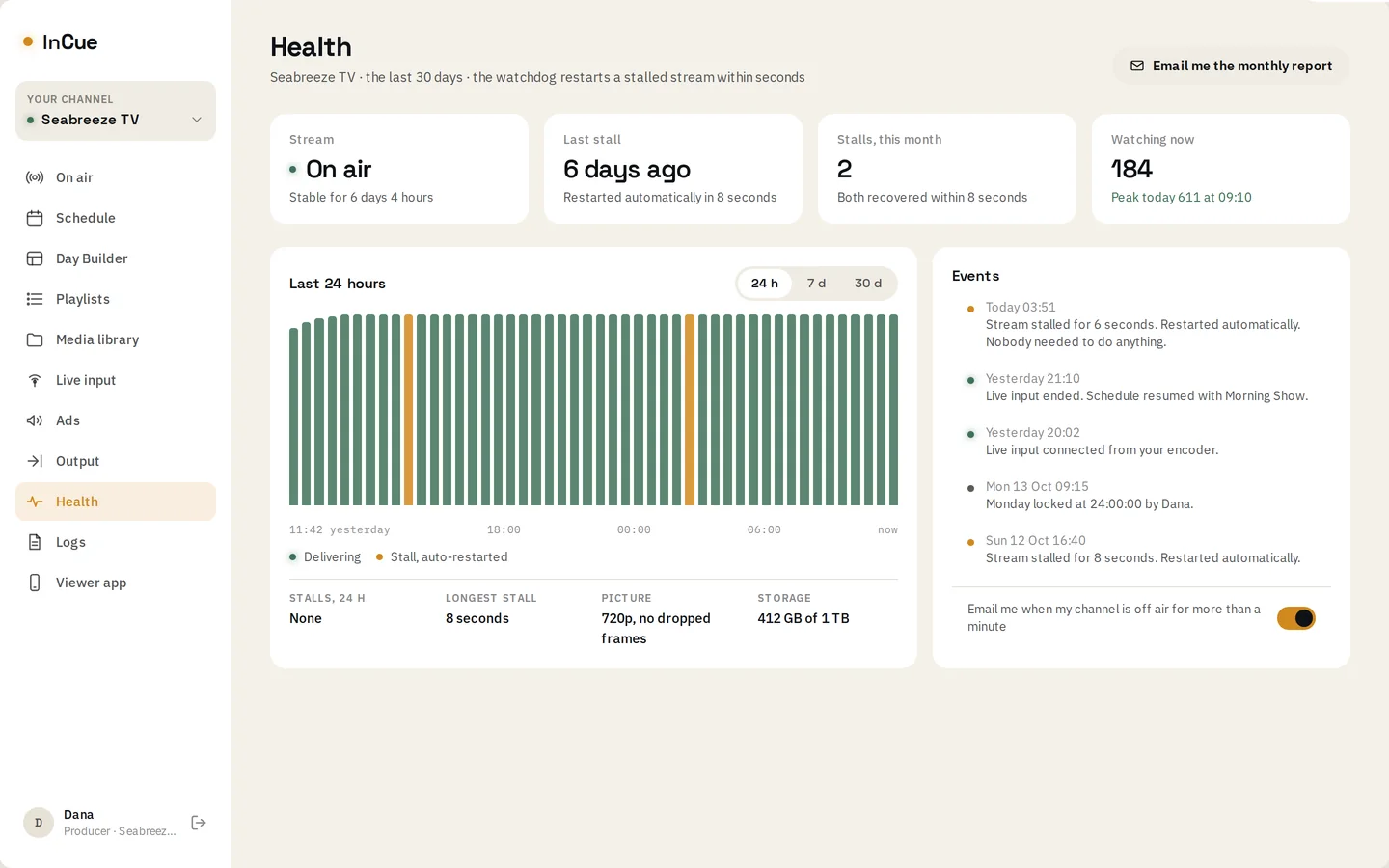
Your stream is monitored around the clock. If it stalls, it restarts in seconds, automatically, before viewers notice. Health shows you the last 24 hours and every event in plain language.
Viewer app · add-on
Your channel on their phones.
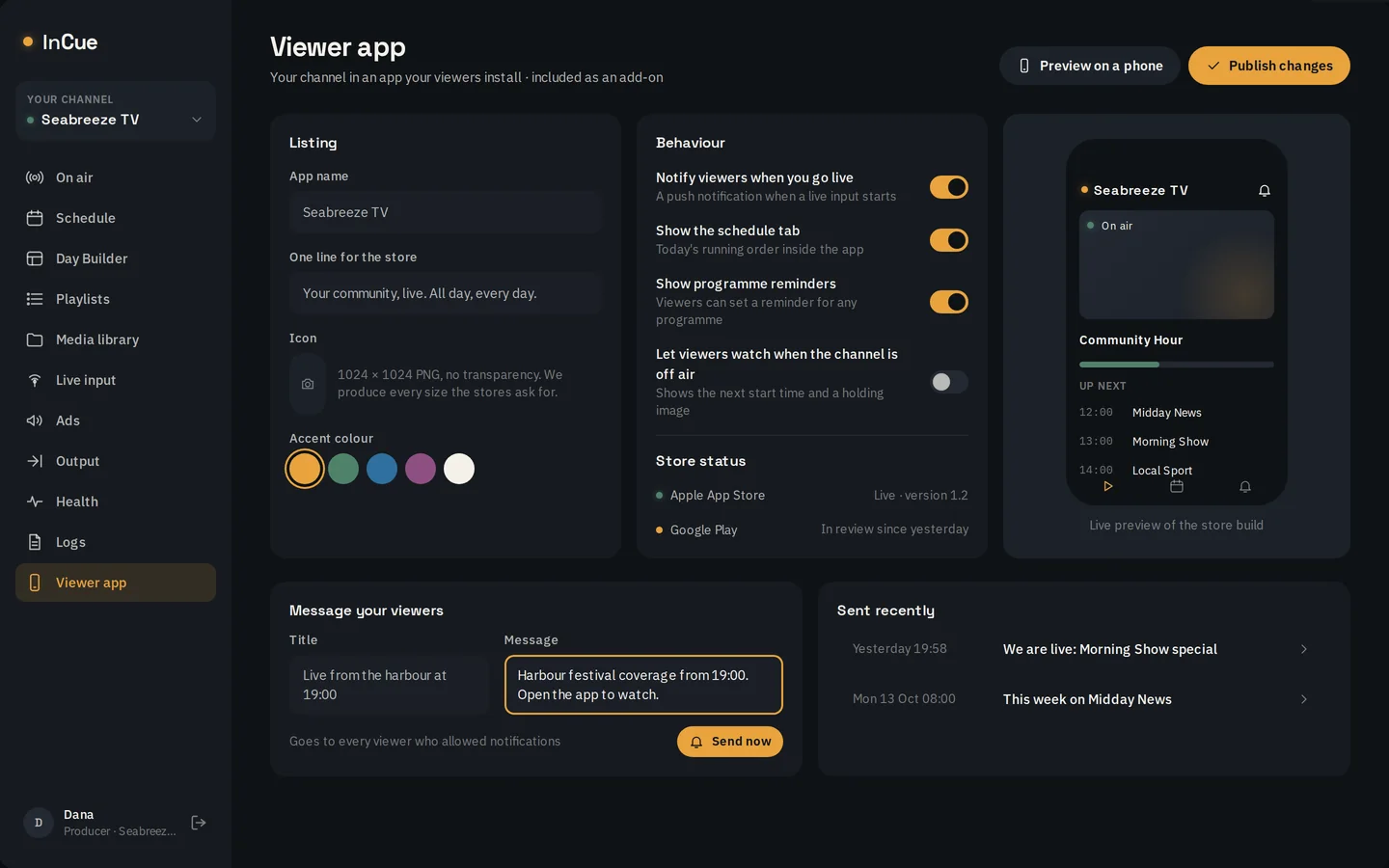
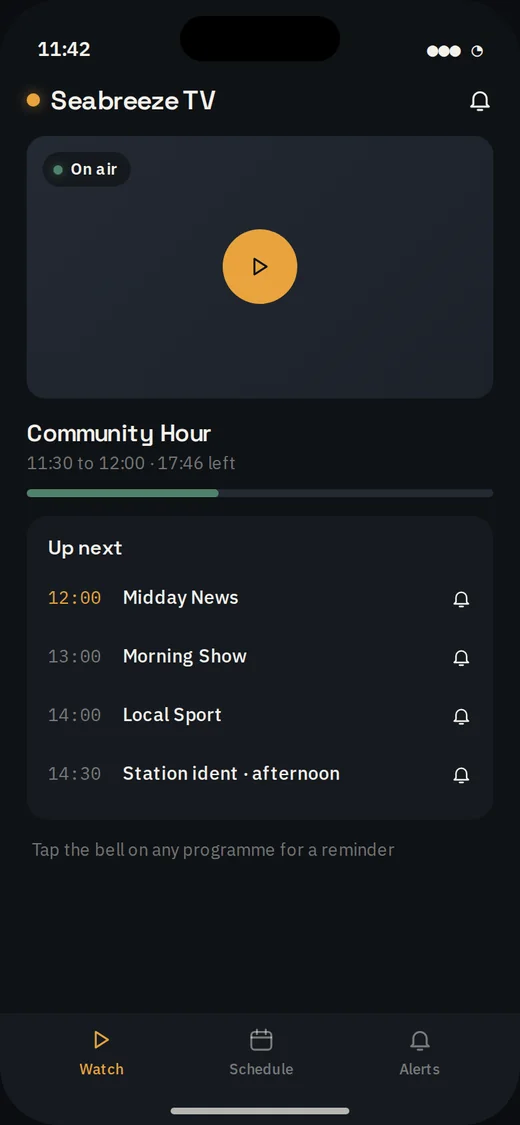
An app your viewers install from a link, with your icon and name. It shows what is on now and next, today’s programmes, and sends a notification when you go live.
- Your icon, name and accent colour.
- A notification to your viewers when you go live.
Portal screens are shown with sample programming. Figures in them are illustrative.
See it with your own programmes.
We will walk you through the portal running a channel.